Restaurant operationsthat connectfloor service, kitchens, QR menusand online orders
Manage menus, tables, orders, and kitchen work in one system. Create a free restaurant account and start a 14-day Pro trial.
- Get 14 days of the Pro plan
- No card and no automatic charge
- Demo menu without an account
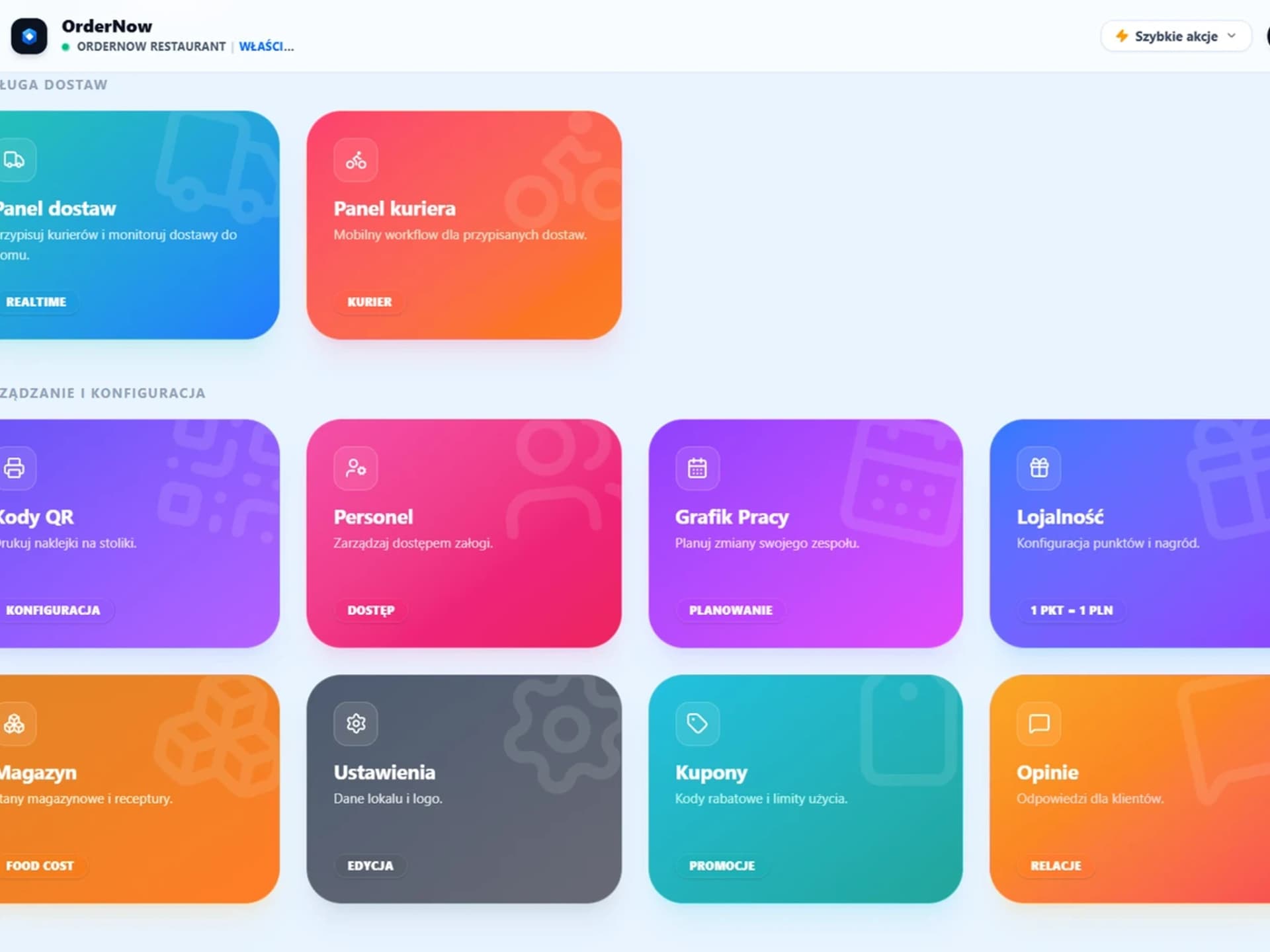
- Get 14 days of the Pro plan
- No card and no automatic charge
- Demo menu without an account
What is OrderNow?
OrderNow connects table service, kitchen, QR menu, and online orders into one smooth flow. Guests order, the kitchen manages the queue, staff tracks status, and the owner controls sales and reports in one dashboard.
Less tool switching
POS, KDS, QR menu, and online ordering work together.
Clearer order flow
Orders go directly to the staff and the kitchen.
More control over the venue
Sales, reviews, loyalty, and reports are available in one single place.
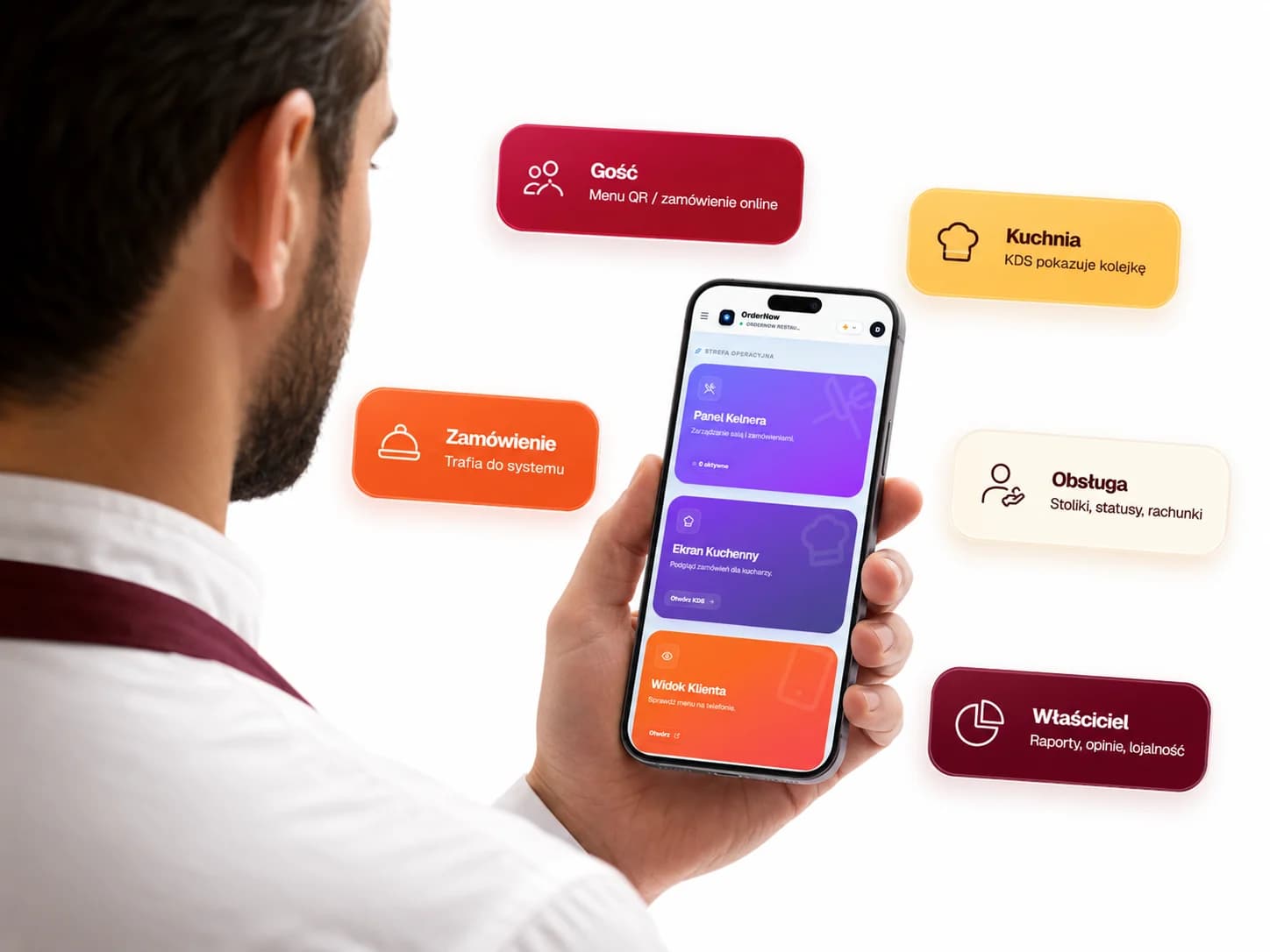
Everything you need in one system
From the guest's first tap to order fulfillment: sales, kitchen and venue operations in one flow.
Screens from daily venue work
From guest QR scanning to kitchen order handling and sales reporting.
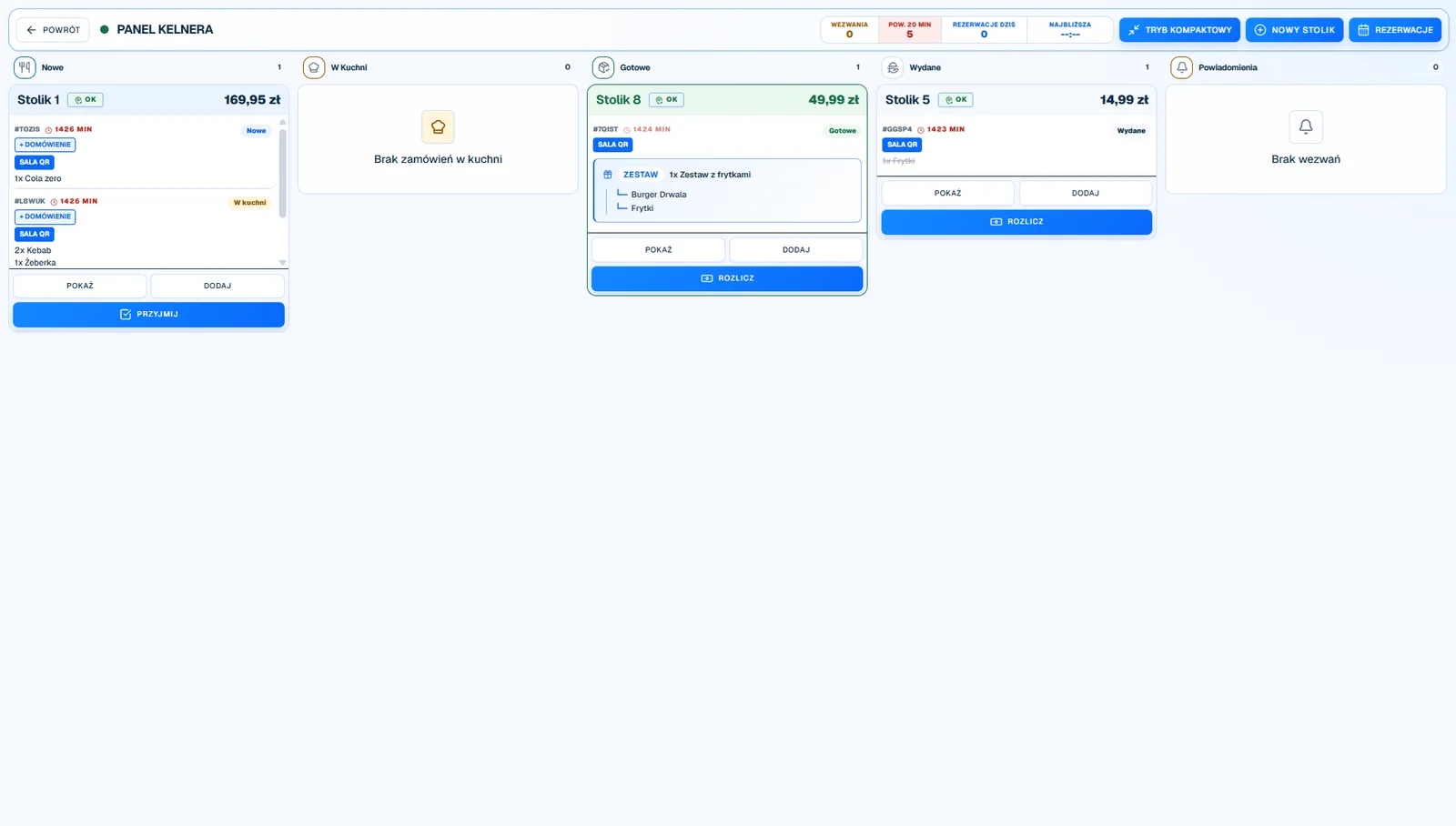
Waiter POS & Dining Room Management
Waiters open tables, add items, and manage guest checks in the waiter panel.
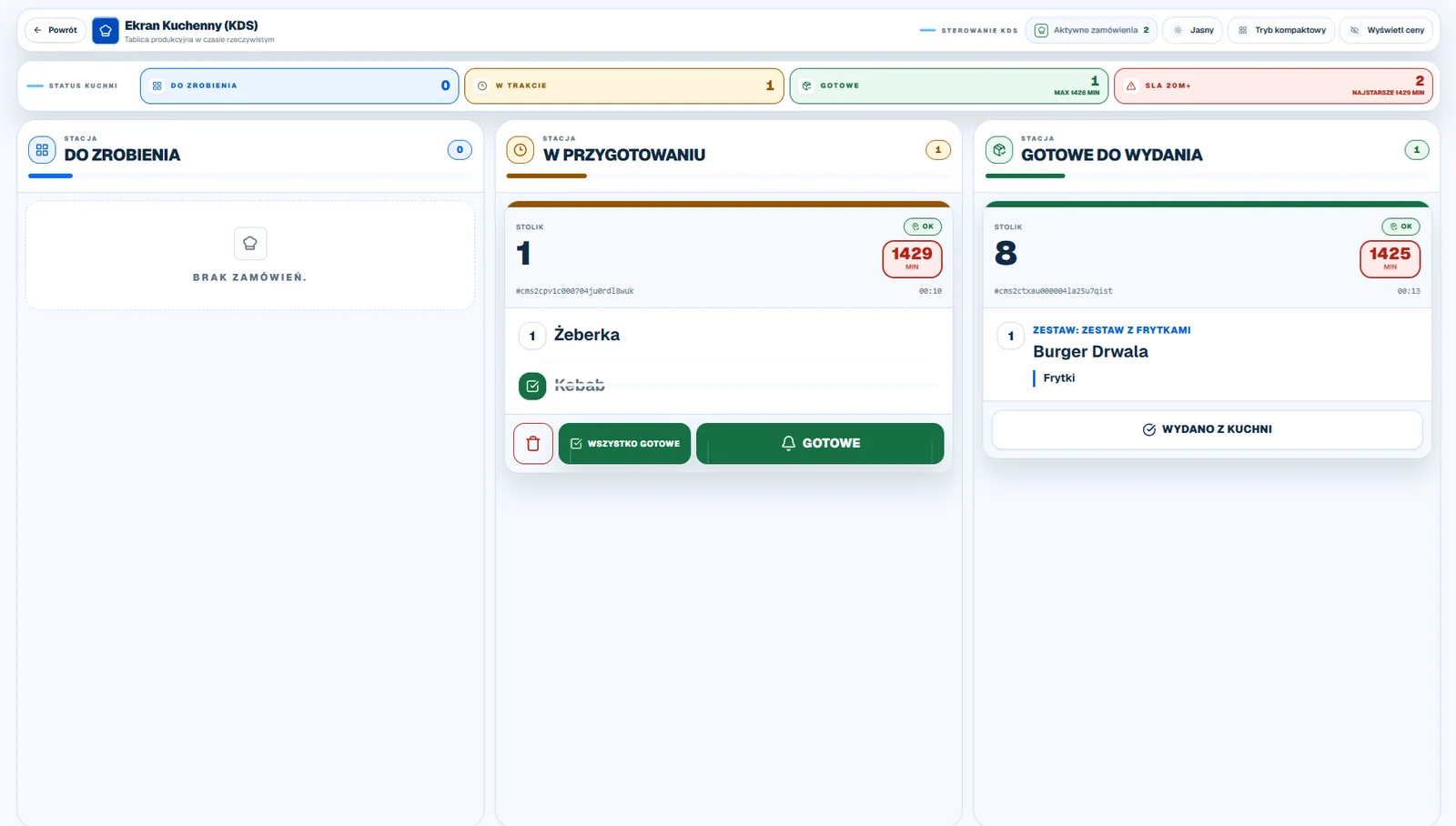
Unified Kitchen Display System (KDS)
Orders from supported channels appear in one kitchen queue, where the team can update their status.
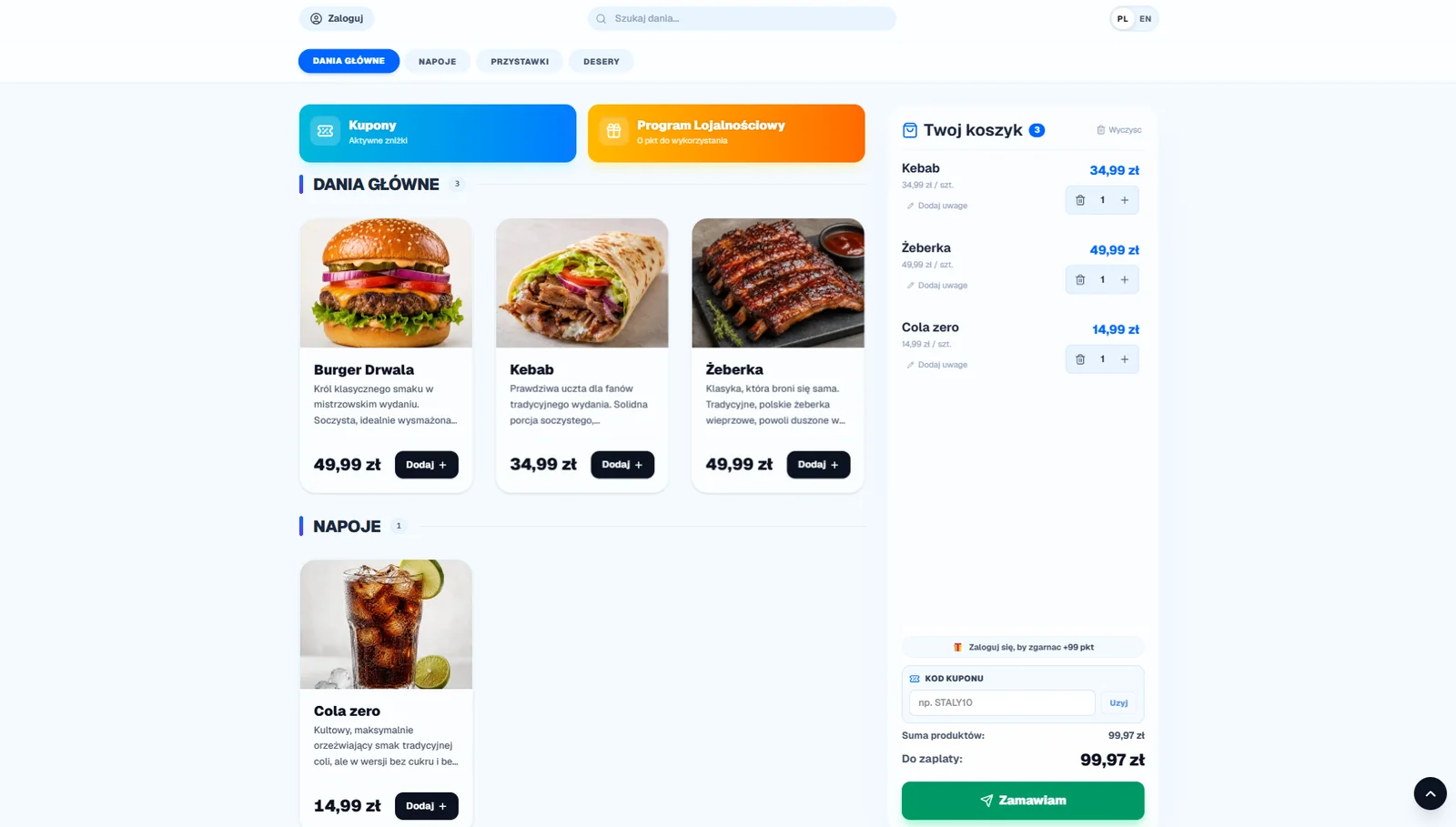
QR Menu & Contactless Table Ordering
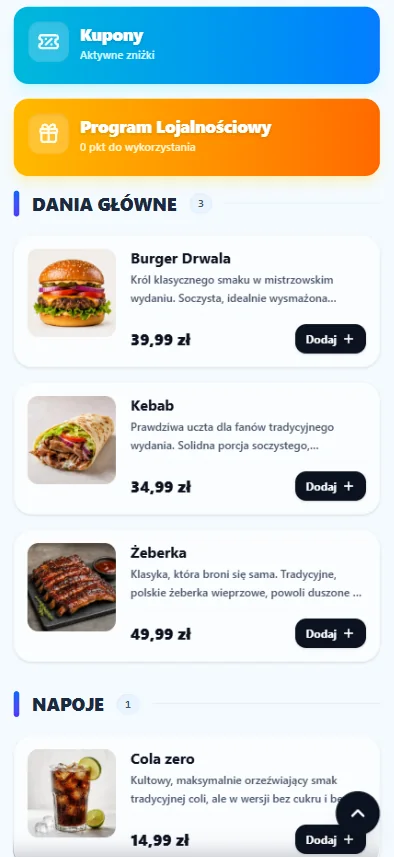
Guests scan table QR codes, view the digital menu in their mobile browser, and order directly from their smartphones.
Sales Reports & Analytics
Review revenue, food cost margins, shift totals, and peak-hour trends, then export available data to CSV or Excel.
Capabilities supported in OrderNow
Four parts of the workflow for restaurant service and operations.
Waiter POS & Dining Room
Table management, guest checks, and waiter order entry.
Table & Check Operations
Waiters open tables, add items, send re-orders, and settle guest checks from the floor.
Open Guest Checks
Add additional items, drinks, and courses to open table checks throughout the guest visit.
Variants & Modifiers
Configure portion sizes, ingredient options, removals, and kitchen preparation notes.
Item Availability Controls
Enable or 86 out-of-stock items across menus with a single tap in the dashboard.
QR Code Table Ordering
Digital menu and table ordering from guest smartphones.
QR Menu & Table Ordering
Guests scan table QR codes, view the mobile menu, and order without app downloads.
Request Bill from Smartphone
Guests can call a waiter or request their bill directly from the digital QR menu.
Combo Meal Sets & Deals
Configure meal bundles with automatic upcharge calculations in guest carts.
Smart Pairings Upselling
Automated add-on suggestions for sauces, drinks, and sides during ordering.
Kitchen Display System (KDS)
Unified order tickets with real-time kitchen timers.
Live Unified KDS Queue
Table orders, QR scans, and online orders sync into one kitchen display queue.
KDS Timers & Statuses
Kitchen updates ticket status (New, Preparing, Ready) with live prep time counters.
Direct Ordering & Reports
Commission-free web store, delivery zones, and sales reports.
Online Orders & Scheduled Pickup
Direct web ordering store with pickup time selection and order notes.
In-House Delivery & Delivery Zones
Calculate delivery fees by zone radius or distance for in-house driver dispatch.
Peak Hour Analytics
Sales heatmaps and hourly breakdown graphs highlight venue busy periods.
Menu Item Popularity
Analyze sales volume, margins, and popularity of menu items and categories.
Add-On Modules & Extensions
Enable loyalty, coupons, reservations, and inventory management as your venue grows.
Customer Loyalty Program
Points, stamp rewards, and guest profile management to drive repeat visits.
Coupons & Discounts
Promo codes, order caps, and automated discount rules.
Table Reservations
Online table booking system with availability controls.
Inventory & Recipe Management
Ingredient tracking, stocktakes, supplier orders, and recipe food costs.
Staff Scheduling
Work shift planning, employee hours, and labor cost optimization.
Guest Review System
Private feedback capture and automated Google review prompts.
Pages for restaurants, cafes, pizzerias and other formats
Each format page describes a typical order flow, not a generic slogan.
Restaurants & Fine Dining
Dining room floor management, kitchen display system (KDS), and direct online ordering.
Pizzerias & Delivery
Table orders, split pizza toppings, delivery dispatch, and order upselling.
Cafes & Coffee Shops
Morning counter rush, loyalty points, combo deals, and rapid checkout.
Burger & Fast Casual
Peak hour speed, ingredient modifiers, combos, and direct pickup orders.
Food Trucks & Mobile
Mobile POS hardware, rapid queue management, and cellular connectivity.
Sushi Bars & Japanese
Set configurations, delivery routing, and kitchen station precision.
First steps with OrderNow
Set up the venue and test the operating flow at your own pace.
1. Create a restaurant account
Start a 14-day Pro trial with no card and no automatic charge.
2. Add your menu and set up the venue
Configure menu items, tables, and the settings needed for your workflow.
3. Enable the modules you need
Enable features available in the plan that fits your venue.
4. Test your order workflow
Check menu, table, order, and kitchen-queue workflows in your venue configuration.
Subscription Plans Built for Every Stage
From a free QR menu to POS, kitchen screens and direct online ordering.
Prices are shown in PLN.
Free
Free QR menu for up to 10 tables
- Free QR menu (unlimited items)
- Up to 10 tables / QR codes
- Restaurant logo & banner
- Hosted menu page at ordernow.pl/menu/[your restaurant]
Start
Floor, kitchen and menu in one flow
- QR menu and table ordering
- KDS and waiter panel
- Table reservations
- Live menu editing
Pro
The most chosen plan for growing venues
- Direct online ordering
- Delivery management
- Loyalty and coupons
- Inventory, Excel reports and scheduling
Enterprise
Scope tailored to scale, standards and support
- Multi-location tools
- Shared menu and standards
- Priority support
- Custom rollout scope
FAQ
Frequently Asked Questions
Common questions from restaurant owners
Experience OrderNow at Your Venue
Launch a free QR menu for up to 10 tables or request a personalized live product demo.