A burger joint POS built for choices, meal deals and busy shifts
Record burger choices clearly, configure meal deals and keep incoming orders visible to the kitchen team in one queue.
- Patty, sauce and topping choices attached to each item
- Configurable burger, side and drink meal deals
- Relevant add-on suggestions defined by the venue
- Shared KDS queue with preparation statuses
- Pickup ordering and menu item performance reports
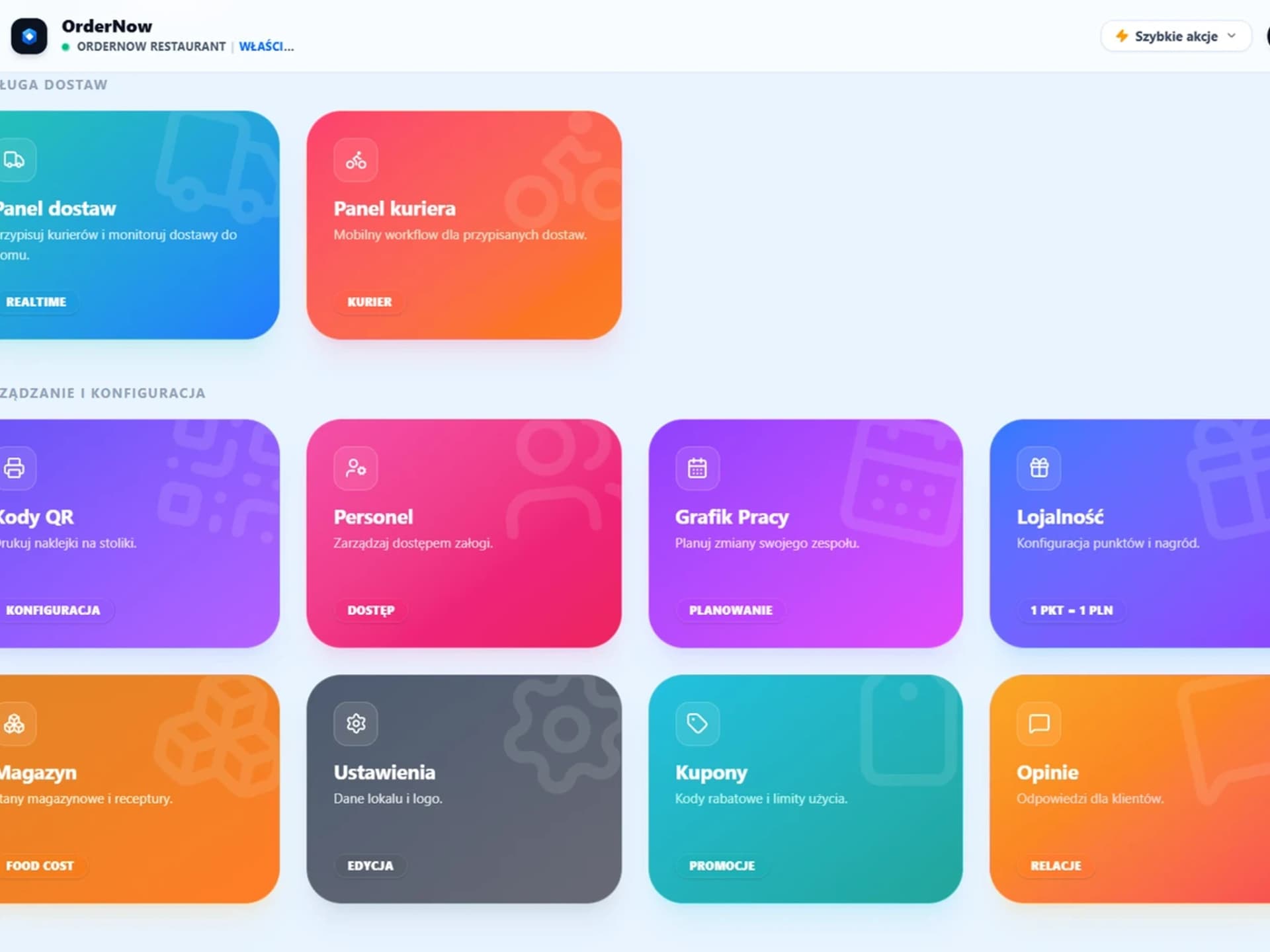
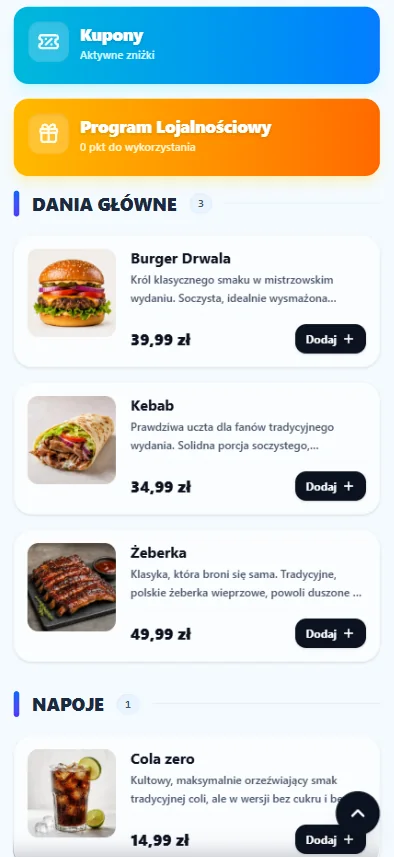
OrderNow product screens for a burger joint
These are the shared product views used for order taking, kitchen work and digital ordering.
Order taking for a burger joint
Staff can select items, apply modifiers and review the current order in one clear workspace.
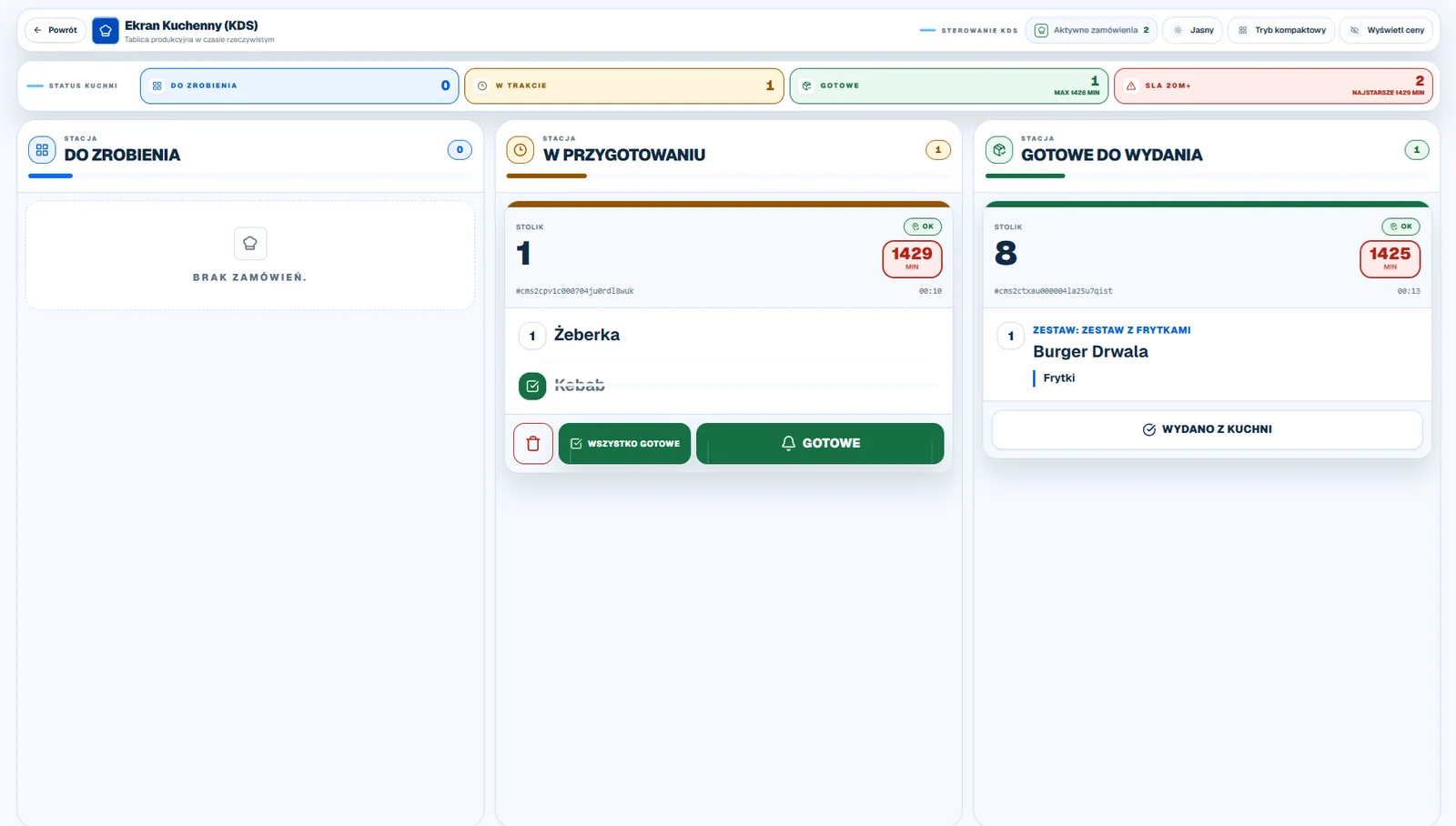
Shared kitchen queue
The KDS presents incoming orders, item details and preparation status to the kitchen team.
Digital menu on a guest's phone
Customers can browse the current offer and place an order through a mobile web page.
OrderNow capabilities for a burger joint
Keep every burger choice with the order from checkout to kitchen preparation and handover.
Dish options and modifiers
An order item can include size options, extras, removals and notes for the kitchen.
How it works in the venue:
Staff or guests can select patty choices, sauces, toppings and side swaps and add a clear note to an order item.
Combo offers
Teams can configure meal combinations with automatic price adjustments when an order is placed.
How it works in the venue:
The menu can group burgers, sides, drinks and meal deals into configurable meal deals with defined choices and surcharges.
Smart Pairings suggestions
The basket can suggest matching sauces, extras and drinks while the guest is ordering.
How it works in the venue:
Configured suggestions can show relevant extras alongside burgers, sides, drinks and meal deals during ordering.
One shared KDS queue
Orders from table service, QR and online ordering appear in one clear queue for the kitchen team.
How it works in the venue:
Orders entered through enabled OrderNow channels appear in one shared KDS queue for the kitchen team.
KDS statuses and preparation time
The kitchen updates order statuses from To do to In progress and Ready, with a visible waiting-time counter.
How it works in the venue:
The kitchen can move an order through To do, In preparation and Ready statuses while tracking preparation time.
Dish popularity ranking
Sales analytics show the performance of individual menu items and categories over a selected period.
How it works in the venue:
Sales reports compare the popularity of burgers, sides, drinks and meal deals over a selected period.
Online orders with a pickup time
An optional online shop lets guests choose a pickup time and add a note to the order.
How it works in the venue:
Customers can order burgers, sides, drinks and meal deals online and choose an available pickup time.
How an order moves through a burger joint
Keep every burger choice with the order from checkout to kitchen preparation and handover.
Build the order
Staff or the customer selects burgers, sides, drinks and meal deals, chooses patty choices, sauces, toppings and side swaps and confirms the order.
Keep the order details together
Order items, choices and notes are recorded together and shown in the relevant staff workflow.
Prepare and update the order
The team works from the order details and updates its status when the next stage is reached.
Hand over or serve the order
Staff can see the order information needed to serve, pack or hand it over to the customer.
Availability by plan
OrderNow is available for this venue in the START, PRO, ENTERPRISE plans. The exact set of modules depends on the selected plan; compare the current scope on the pricing page.
Explore OrderNow modules
Open a feature page to review the module's scope, requirements and limitations.
Sales Engine
Build configurable meal deals and relevant add-on suggestions for the ordering journey.
Kitchen Display System
Show incoming orders and preparation statuses in one shared kitchen queue.
Waiter POS
Take orders, manage open bills and keep service information in one staff view.
Reports and analytics
Review sales by time of day and compare the performance of menu items.
FAQ
Questions about OrderNow for a burger joint
Make complex burger orders easier for the whole team
Open a demo with your burger modifiers, meal deals and kitchen ticket details.