Scheduling and Time Tracking
Plan your team based on traffic, not gut feeling
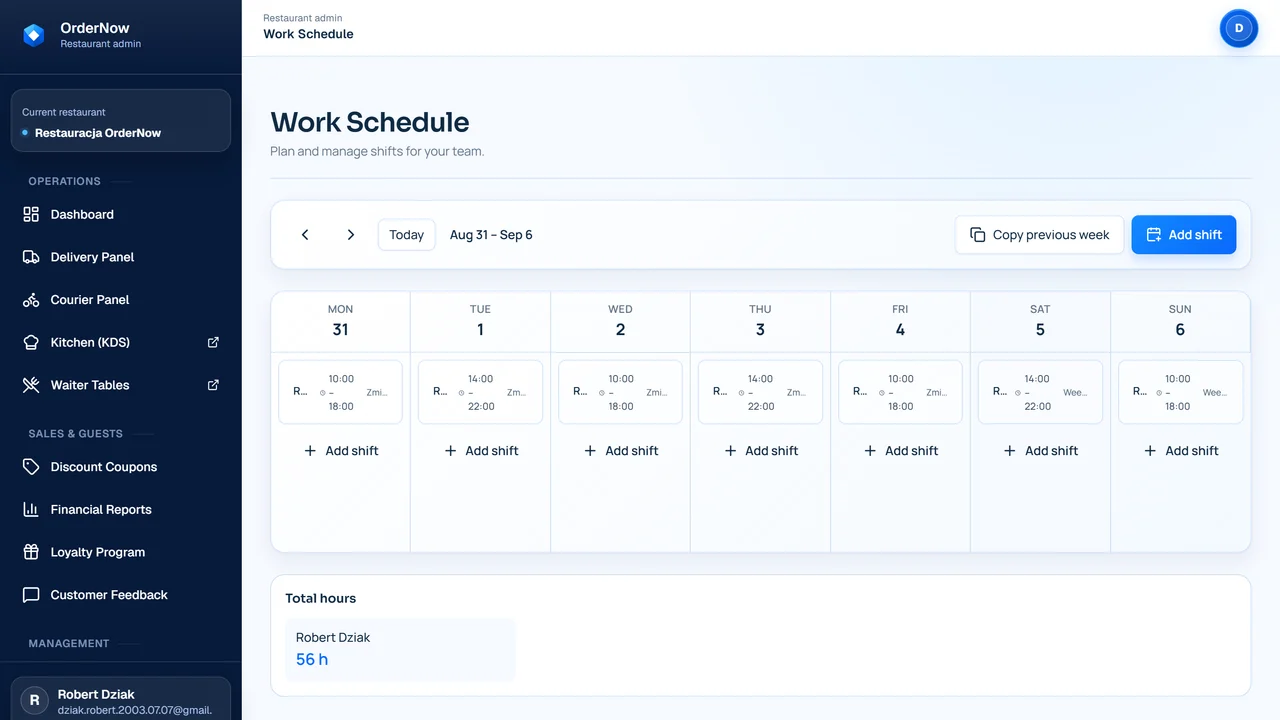
Staff scheduling in OrderNow helps plan shifts, share them with the team, and track work hours. The manager can later compare staffing with venue traffic, instead of building the schedule purely based on a spreadsheet and messages.
Work plan
Shift → time tracking → traffic comparison
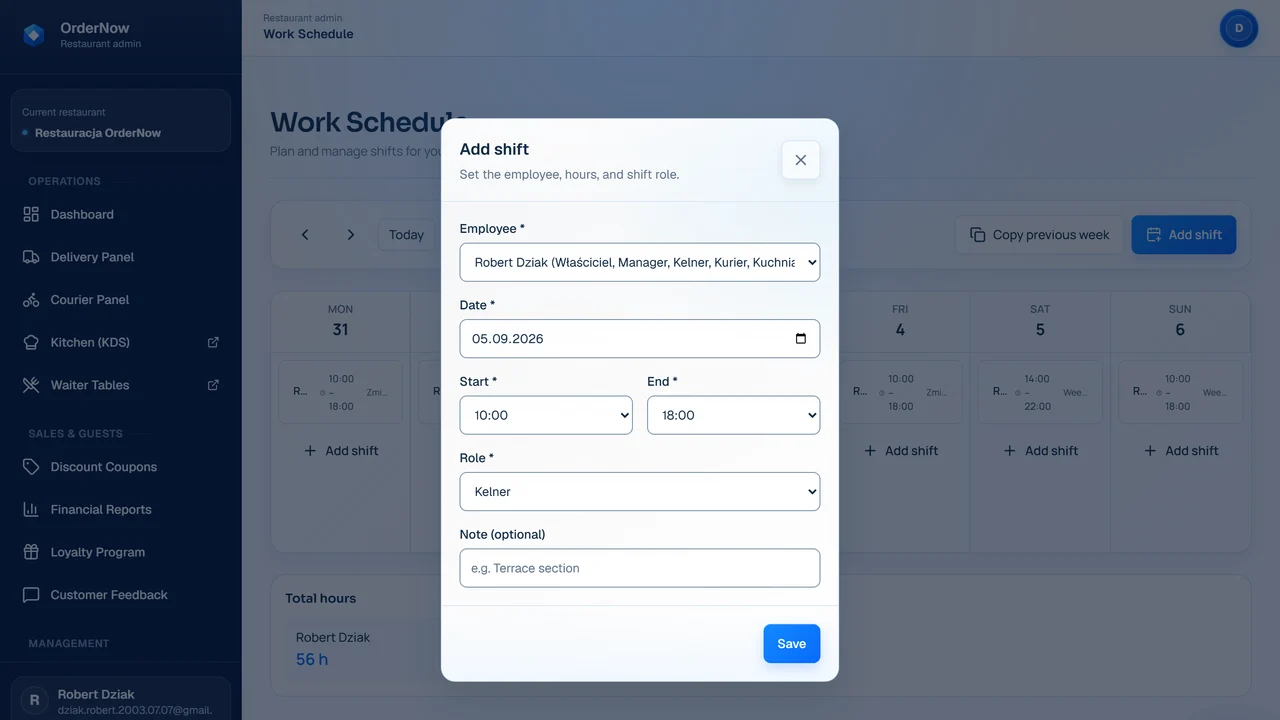
Plans shifts and roles
The manager builds the schedule based on roles, days of the week, seasonality, and expected traffic.
Sees the current plan
Employees use one version of the schedule instead of searching for the latest message or spreadsheet.
Clocks in and clocks out
Time tracking helps separate planned hours from actually worked hours.
What happens when the schedule lives in a spreadsheet and chats
With a larger team, a shift calendar alone isn't enough. The manager needs one up-to-date plan and data to show if staffing matched the demand.
The team sees different versions of the schedule
A change in the spreadsheet, a chat message, and a verbal agreement at the bar can create three versions of the same week.
Hours are counted manually
Manually copying clock-ins, clock-outs, and shifts increases the risk of errors when settling payroll.
Staffing isn't compared with sales
After the weekend, it's hard to tell if the problem was a small team, bad shift allocation, or just exceptionally high traffic.
The next schedule relies on gut feeling
Without traffic history and labor costs, the manager falls back on experience rather than real venue data.
How the schedule links shifts with real traffic
The system won't create a perfect schedule for the manager. It provides one plan version, time tracking, and data for calmer decisions next week.
Plans shifts and roles
The manager builds the schedule based on roles, days of the week, seasonality, and expected traffic.
Sees the current plan
Employees use one version of the schedule instead of searching for the latest message or spreadsheet.
Clocks in and clocks out
Time tracking helps separate planned hours from actually worked hours.
Collects work time data
Data from clock-ins, clock-outs, and shifts can later be matched with traffic and sales.
Compares staffing with traffic
A report shows if the team was sized appropriately for the number of orders and sales in specific hours.
Builds the next schedule based on data
The next shift plan can be based on traffic history, costs, and real worked hours.
Before & After: shift spreadsheet vs traffic-linked schedule
Which venues benefit most from staff scheduling
It helps most where there are more people, shifts overlap during peaks, and the manager wants to reduce manual hour tracking.
- restaurants with larger teams and shift work
- venues with weekend peaks, a patio, or seasonality
- places where the manager manually settles hours
- restaurants that want to compare staffing with traffic and sales
When a scheduling module isn't the first priority
Not every venue immediately needs time tracking and shift planning. At a small scale, organizing sales and service might be more crucial.
- very small venues with one fixed shift
- places with no need for work time tracking
- a venue run solely by the owner and one person
- stages where organizing orders and sales is more important
What to measure after deploying staff scheduling
The schedule doesn't promise automatic cost reduction. It provides data so the manager can clearly see the plan, real time, and staffing vs. traffic.
Planned vs. actual hours
Show where the plan diverges from the team's real work.
Labor cost
Helps evaluate how much specific days, shifts, and roles cost.
Sales per labor hour
Facilitates discussions on whether staffing was suited for the traffic.
Number of schedule changes
Shows how often the plan needs tweaking and where the team needs more stability.
Overtime
Helps notice faster when the work plan starts drifting away from reality.
Staffing vs. traffic alignment
Comparing shifts with orders and sales helps plan subsequent weeks more calmly.
How scheduling connects with floor, kitchen, and reports
The work plan makes the most sense when it can be compared with actual traffic: reservations, orders, kitchen pace, and reports.
Reports and analytics
Reports let you match staffing, work time, sales, and peak hours.
Table Reservation System
Reservations help you see floor occupancy early and plan the shift better.
Waiter POS
The Waiter POS shows floor activity and helps understand where staffing is needed most.
KDS
During peaks, the kitchen screen shows whether the shift plan matches the pace of orders and plating.
Questions from managers before deploying scheduling
Can the employee see the schedule online?
Can they track clock-ins and clock-outs?
Does the schedule show labor costs?
Can I compare the schedule with sales?
Does the manager still decide the schedule?
When is the scheduling module unnecessary?
Demo with no overpromises
Check the schedule using a sample week in your venue
During the demo, we'll show the shift plan, time tracking, and staffing vs. traffic comparison—without promising to automatically solve HR issues.