Skip to content

Table reservations

A single reservation list instead of phone, notebook, and messages

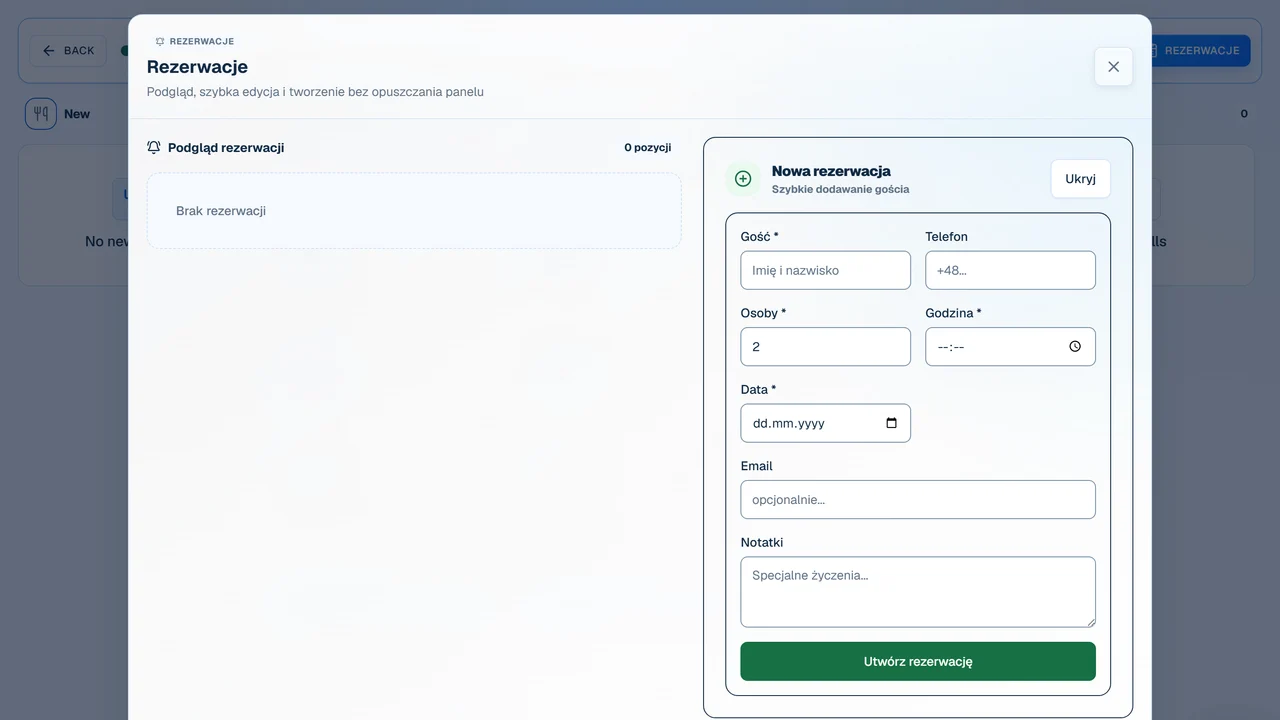
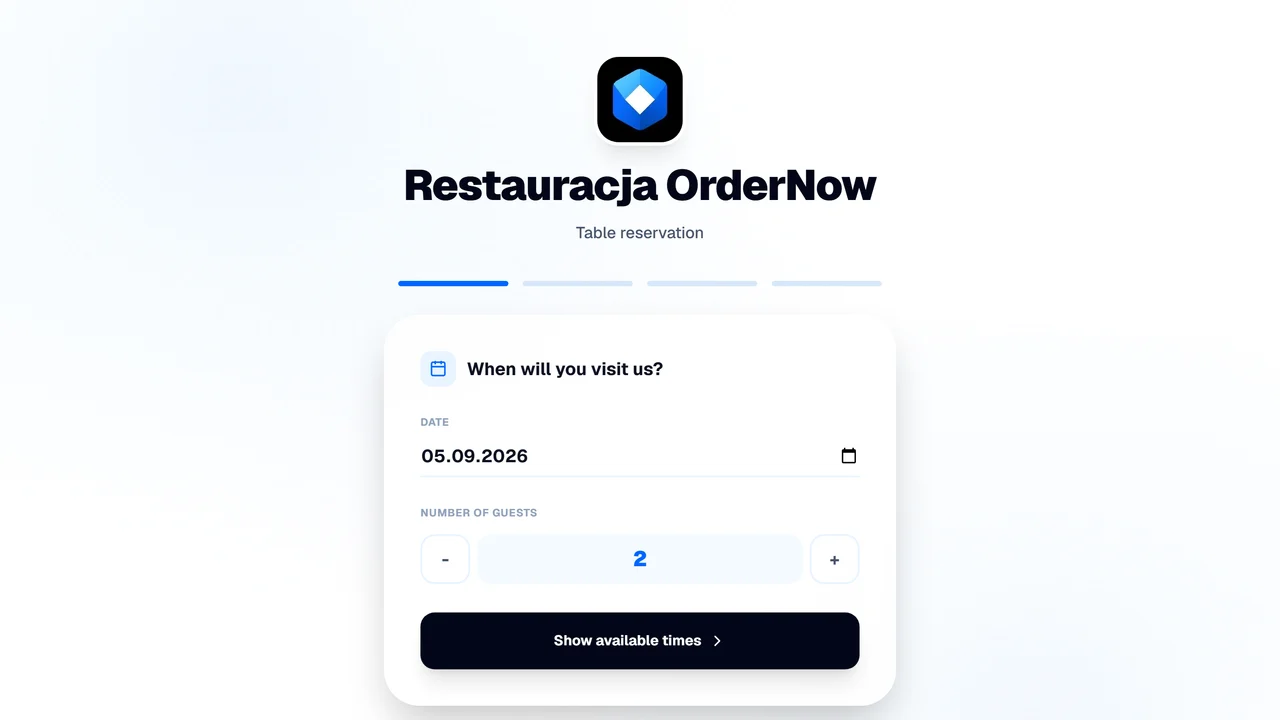
OrderNow's reservation system collects all booking requests in one place and shows your staff real-time table availability. Guests book online 24/7, and your team doesn't have to piece together the floor plan from missed calls, notepad scribbles, and social media DMs.

unified reservation calendar
availability based on floor plan and hours
automated confirmations and cancellations
fewer double-bookings and errors

Table booking

Time slot → table → status

Guest1

Selects date, time, and guest count

The booking is placed online via phone or desktop, without needing app downloads or waiting on hold.

System2

Verifies availability rules

The system checks table capacities, opening hours, and booking limits configured by the restaurant.

Panel3

Shows booking to the host

The team sees the new request or confirmed reservation immediately in their main calendar dashboard.

What happens when bookings are scattered across channels

Phones, notebooks, email, and social media create multiple versions of the truth. During a weekend rush, a single recording error can easily lead to double-booked tables.

Staff can't see real-time availability

One server has a booking in the notebook, another has a text on their phone, and the manager is left trying to resolve the floor plan.

Bookings slip in after hours

Guests try to book tables late at night or during prep, but calls are only answered when staff are free and near the phone.

Changes and cancellations get lost

Without a central list, it's hard to ensure that a time change or guest count update is shared with the entire team.

Managers plan shifts blindly

FOH occupancy, no-shows, and phone booking patterns are only clear after the shift is over, making scheduling difficult.

How a reservation flows from guest to table

A booking system doesn't run the floor on its own, but it provides a shared calendar, clear statuses, and automated availability rules.

Guest01

Selects date, time, and guest count

The booking is placed online via phone or desktop, without needing app downloads or waiting on hold.

System02

Verifies availability rules

The system checks table capacities, opening hours, and booking limits configured by the restaurant.

Panel03

Shows booking to the host

The team sees the new request or confirmed reservation immediately in their main calendar dashboard.

Staff04

Manages reservation status

The status is updated as pending, confirmed, seated, canceled, or complete, keeping everyone in sync.

Guest05

Receives automated confirmation

Instant notifications and easy cancellation links reduce manual follow-up calls and lower no-show rates.

Manager06

Monitors floor occupancy

Managers can optimize staff scheduling and table prep, especially for busy weekends or multi-zone patios.

Before and After: Phone & Notebook vs. Central Calendar

Source of Truth
Old ProcessBookings are spread across notebooks, phones, messages, and staff memory.
OrderNowThe entire team works off a single digital calendar with live statuses.
Checking Availability
Old ProcessStaff manually calculate open tables, seating times, and capacities.
OrderNowThe system automatically checks booking rules set by the venue.
Changes & Cancellations
Old ProcessEdits require finding the right page, erasing notes, and informing the shift.
OrderNowBooking status is updated instantly and visible across all terminals.
Floor Planning
Old ProcessManagers only notice seating conflicts once guests walk through the door.
OrderNowFloor occupancy is visible in advance, allowing for better shift prep.

Where online reservations help the most

A booking system delivers the most value where table layout, time slots, and guest counts actively impact floor operations.

  • full-service restaurants with host stands and table service
  • busy weekend spots and venues receiving high volumes of phone inquiries
  • restaurants with patios, private dining rooms, or multiple seating areas
  • venues collecting bookings from websites, Google, and social pages

When a booking system is not a priority

If you rarely accept reservations, focus on order processing or tableside flow first.

  • venues operating on a first-come, first-served basis only
  • fast-casual spots with counter service and high guest turnover
  • walk-in only bars, taprooms, or cafes
  • very small spots where table bookings are rare and easily managed

What to measure after implementation

A system won't cure no-shows on its own. Track if a single calendar reduces errors and gives your manager better floor control.

Online booking volume

Measure how many reservations are placed automatically without phone calls or manual entry.

Cancellations & no-shows

Track no-shows and cancellations separately to identify patterns and adjust booking limits.

After-hours bookings

See if online booking captures demand late at night when the restaurant phone is unanswered.

Floor occupancy

Analyze seating density, peak times, and zones to schedule floor staff more efficiently.

Double-booking errors

Check if working off one digital list reduces table assignment conflicts.

Reservations require clear floor rules and staff responsibility. The system organizes data but doesn't replace manager decisions.

FAQ before implementing reservations

Does a guest need to download an app to book?

No. The booking widget runs directly in a mobile or desktop web browser.

Can I set custom reservation hours and party limits?

Yes. You have full control over available times, table allocations, party size limits, and confirmation rules.

Does staff see updates instantly?

Yes. Any online booking, modification, or cancellation updates the calendar dashboard in real-time.

Does the system prevent no-shows?

It helps reduce them using automated confirmation alerts and cancellation links, but it cannot eliminate no-shows entirely.

Can I handle outdoor patios or separate rooms?

Yes, by setting up custom zones and assigning tables to those specific areas in the settings.

When is a reservation system unnecessary?

If your restaurant operates walk-in only, has fast counter turnover, or accepts bookings only a few times a month.

Demo with no overpromises

See if a single calendar fits your floor layout

On our call, we'll walk through hours, tables, live statuses, notifications, and cancellation setups to see if online reservations match your venue.