Skip to content

Inventory & Recipes

Don't wait until the end of the month to see dish costs

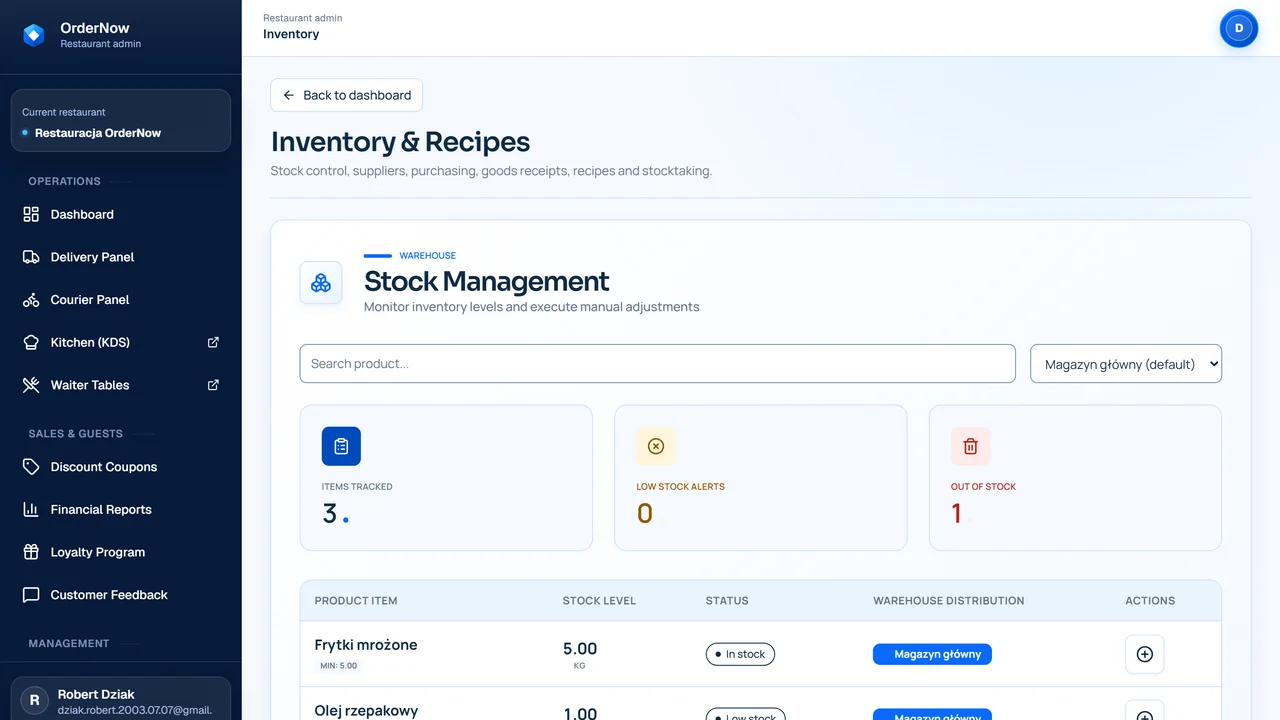
Inventory and recipes in OrderNow help you connect sales with real ingredient consumption. Owners can see which dishes hold their margin, where waste occurs, and when product costs start eating into the bottom line.

recipes tied to sales
better dish cost control
less manual ingredient counting
faster detection of waste and shortages

Back of house process

Recipe → sales → cost

Manager1

Creates a dish recipe

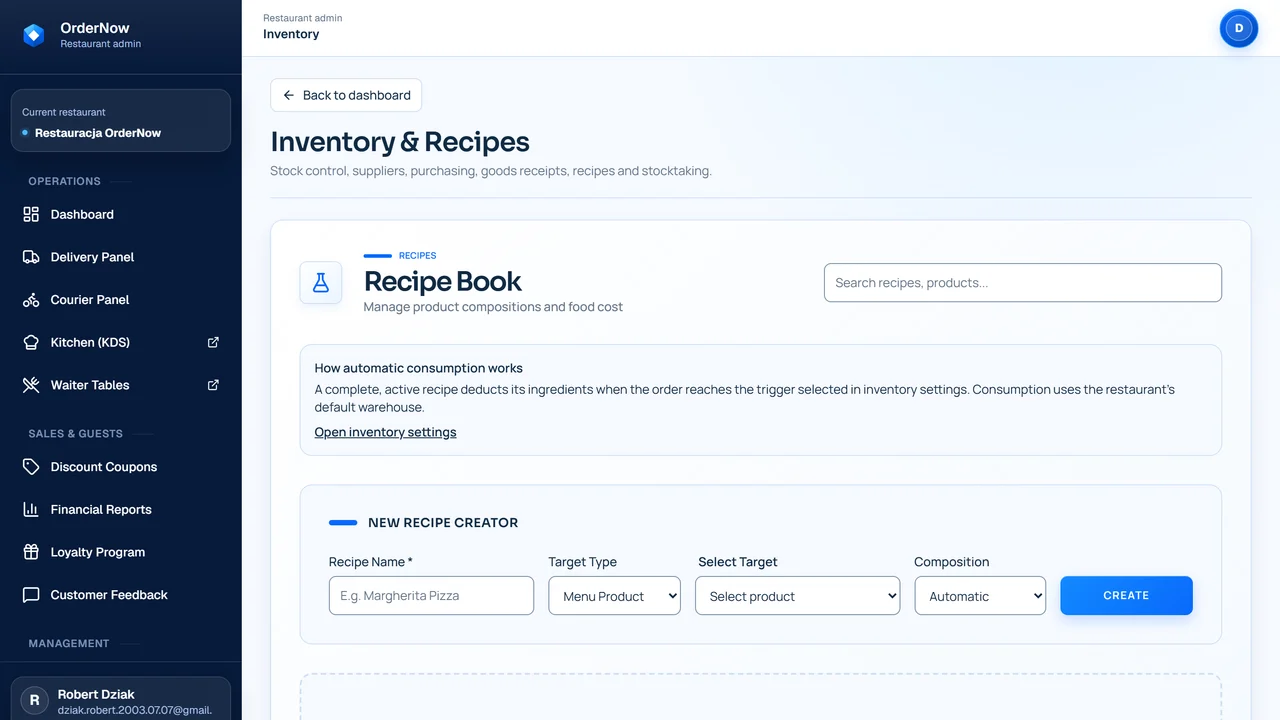
You enter ingredients, portions, units of measure, and prep cost for a menu item.

Sales2

Ingredients deplete with sales

After a dish is sold, the system can deduct usage according to the recipe, instead of counting everything manually.

Deliveries3

Deliveries update stock

New quantities and supplier prices go into inventory, so dish cost isn't based on old assumptions.

What happens without connecting recipes to sales

Sales are visible instantly, but costs often emerge only after inventory counting. Then it's hard to tell if the problem was a supplier price, portion size, waste, or bad menu pricing.

Food Cost is calculated too late

Managers see the result after the fact, when some pricing and purchasing decisions have already hurt the margin.

Recipes live outside of sales

Ingredients are in a spreadsheet or notebook, while sales are in the POS. Hard to connect the two without manual calculation.

Waste is an anecdote, not data

Spoilage, mistakes, and shortages often come up in conversation, but don't enter a trackable process.

Supplier price hikes don't reach the menu quickly

If an ingredient price goes up, the restaurant might sell a dish with an outdated calculation for too long.

How a recipe moves from sales to cost control

Inventory only makes sense when recipes, deliveries, and sales operate in one loop. Otherwise, the report will just be another spreadsheet.

Manager01

Creates a dish recipe

You enter ingredients, portions, units of measure, and prep cost for a menu item.

Sales02

Ingredients deplete with sales

After a dish is sold, the system can deduct usage according to the recipe, instead of counting everything manually.

Deliveries03

Deliveries update stock

New quantities and supplier prices go into inventory, so dish cost isn't based on old assumptions.

Report04

You see cost and margin

The report highlights which items need review: price, weight, waste, or supplier.

Decision05

You adjust price, portion, or purchase

Managers get a specific action point instead of waiting for month-end overall results.

Before & After: spreadsheets vs inventory with recipes

Dish cost
Spreadsheet / manualCalculated manually, often only during a menu review.
OrderNow InventoryTied to recipe, sales, and delivery prices.
Stock levels
Spreadsheet / manualUpdated after inventory counting or manual transcription.
OrderNow InventoryChanged by deliveries, corrections, and sales via recipes.
Waste
Spreadsheet / manualRemembered by the team or noted in a loose spreadsheet.
OrderNow InventoryEntered as corrections, waste, or shortages to review.
Supplier price hikes
Spreadsheet / manualSeen on invoices, but not always instantly in dish calculation.
OrderNow InventoryNew ingredient price can quickly show impact on Food Cost.
Manager decisions
Spreadsheet / manualBased on monthly results and kitchen intuition.
OrderNow InventoryBased on the connection between sales, recipes, deliveries, and waste.

Which venues benefit most from inventory and recipes

This module is strongest where ingredient costs truly dictate results, and the menu features repeatable recipes.

  • venues with many ingredients and repeatable recipes
  • pizzerias, sushi, burger joints, bakeries, and restaurants with in-house prep
  • places that notice problems with waste, shortages, or rising Food Cost
  • venues that regularly buy from several suppliers
  • restaurants wanting to make pricing decisions based on data, not just intuition

When inventory isn't the first priority

Inventory requires discipline. If a venue hasn't sorted out the basics yet, it's better to implement this in stages.

  • very small venues with simple menus and few ingredients
  • places without repeatable recipes or with ad-hoc menu changes
  • deliveries, units, and product names aren't organized yet
  • MVP stage where launching sales, service, and basic reporting is more important

What to measure after deploying inventory and recipes

Inventory doesn't improve margin by itself. It gives data that helps quickly find the leak: recipe, portion, purchase, waste, or menu price.

Food Cost per dish

Check which items hold their target cost, and which require a tweak in price, weight, or supplier.

Discrepancies between stock and sales

Compare usage derived from recipes against what's actually left in stock.

Waste and corrections

Gather spoilage, mistakes, and shortages in one place to discuss specific items.

Supplier price impact

Observe which ingredients change dish costs the most and require a purchasing decision.

Inventory data is only as valuable as its regularity. Without up-to-date recipes, deliveries, and corrections, the report will be incomplete.

Questions from owners before deploying inventory and recipes

Do I have to enter all recipes at once?

No. It's smartest to start with items that sell the most or have the biggest impact on margin.

Will inventory detect waste on its own?

Not by itself. The system helps compare sales, recipes, and stock, but waste, corrections, and counts must be entered by the team.

Does this make sense for a small menu?

If the menu is simple, inventory might not be the first priority. It makes more sense when there are many ingredients or prices change rapidly.

Can I calculate Food Cost per dish?

Yes, if the recipe, units of measure, and ingredient prices are up to date. Without that, the report is just an approximation.

What about deliveries from multiple suppliers?

Deliveries and prices should be tracked in one loop, so you can see which supplier or ingredient changes the item's cost.

Who should operate the inventory module?

Usually the manager, head chef, or designated person on shift. It's important to set responsibilities for deliveries, waste, and corrections.

Demo with no overpromises

See Food Cost on a real recipe example

During the demo, we'll go through an ingredient, recipe, sale, delivery, and report to check if inventory gives your venue data for decisions.